
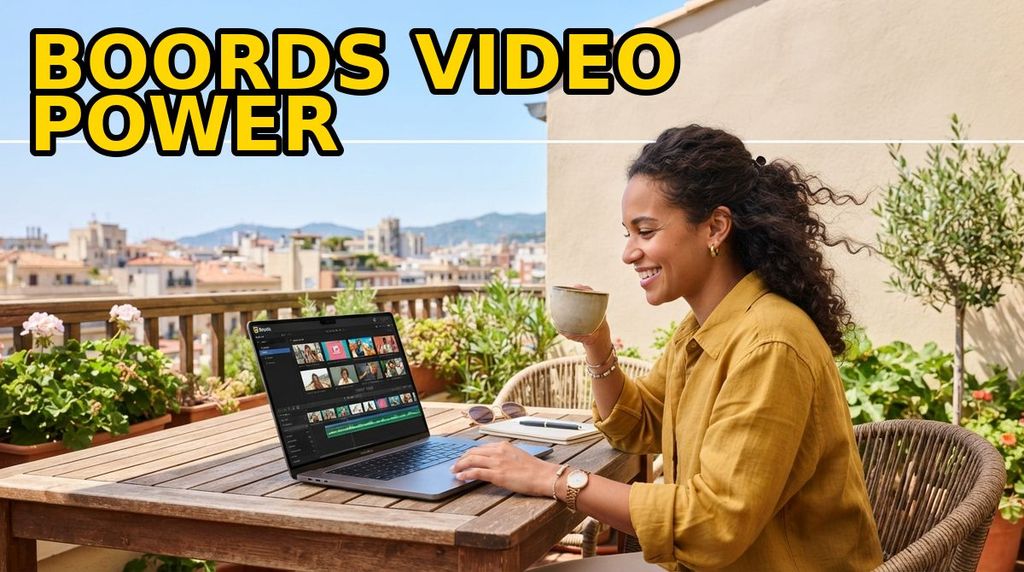
Boords is pre-production software for video teams: scripts, storyboards, animatics and client sign-off in one workspace, so nobody has to ask which version was approved. It is independent software built by a former animation studio founder, used for more than a million client-shared projects, and it starts at $26 per month billed yearly with a free trial. This review breaks down what Boords actually does, what it costs, and where it is genuinely weaker than the tools your team already pays for.
📋 Quick Verdict
Our review found that Boords solves a specific, expensive problem rather than a general one. Pre-production in most studios is scattered across a script document, a slide deck, a stock photo folder and an email thread, and the cost of that scatter shows up later as reshoots and revision loops. Boords compresses script, board, animatic and client approval into one place and keeps a record of who approved which version.
The pricing is honest about who it is for: Solo from $26 per month billed yearly, Pro $50, Team $85 and Agency $165, with monthly billing at higher rates and a free trial on every tier. AI image generation is metered, from 250 images a month on Solo to 3,000 on Agency, so heavy users should watch that ceiling.
Where it falls short is equally clear. Boords is not a video editor or a design tool; if your team already lives inside Figma or Canva and needs one board a month, the subscription is hard to justify. There is no free tier beyond the trial, and Pro caps at 5 users, Team at 10 and Agency at 30.
What makes it stand out
- Clients review and comment without creating an account, which removes the single biggest approval bottleneck
- Version history and an activity trail record who approved what, when and on which version
- One-click conversion of a storyboard into a timed animatic so pacing is signed off before the shoot
- Script tools built for production, including two-column audio-visual formatting and automatic voiceover timing
- Unlimited storyboards, unlimited frames and no watermarks on every paid tier
- Public API, webhooks and Slack notifications for teams wiring pre-production into their own systems
- Independent and founder-led since 2015, with a 100% money-back guarantee and cancel-anytime terms
Where it falls short
- No free tier — you get a trial and then a paid plan starts
- Seat caps on lower plans: 5 users on Pro, 10 on Team, 30 on Agency
- AI image credits are metered monthly and reset, so image-heavy boards can run dry
- It is pre-production only; shooting, editing and delivery still need other tools
- Nothing on the site publishes a per-project guarantee about AI image licensing, so check that if it matters legally
- Advanced controls such as SSO and audit-grade trails are enterprise-tier, not standard
- Teams already embedded in Figma, Canva or Slides may find the overlap hard to justify
🤔 What Is Boords?
Boords is a browser-based pre-production platform for video agencies, animation studios and in-house brand teams. Its three working areas are scripts, storyboards and animatics, wrapped in a review layer that lets clients annotate frame by frame and approve a version without logging in. Its own numbers — 1M+ projects shared for review and 12M+ comments captured in context — describe a tool used at the approval stage, not just for drawing frames.
The company’s history explains its priorities. Boords was built by James Chambers, who co-founded the London animation studio Animade, where boards were made in Photoshop, Slides or InDesign and versions were tracked through files named things like “FinalFinal_v3_USE_THIS.pdf.” The first version shipped in 2015 to fix consistent board formatting and notes that live in context instead of inboxes. The company states it is still independent and still small, which matters if you have watched pre-production tools get acquired and repriced.
⚙️ Key Features
Scripts built for production, not for prose
Boords supports free-form script writing alongside two-column audio-visual editing, the format that keeps narration on one side and visuals on the other. It also handles automatic voiceover timing and converts a finished script into a storyboard, so the board inherits the structure of the script rather than being rebuilt by hand. Active scripts are unlimited on every paid tier, and comments attach directly to the script text.
Storyboarding that stays consistent across a team
Frames are unlimited, exported boards carry no watermark on any paid plan, and a built-in stock image library means nobody has to leave the app to find a placeholder. Teams can connect Dropbox and Google Drive, auto-number frames, add custom text fields per project and save customizable templates so every board a studio ships has the same visual language. You can also generate an image from a described scene and drop it straight into a frame.
Animatics in one click
This is the feature that changes budgets rather than aesthetics. A storyboard converts into a timed animatic so pacing can be reviewed before anyone opens an editor, and the animatic editor handles timing adjustments without exporting to another tool. Boords frames the value bluntly: a board revision costs ten minutes, while a reshoot costs a day, a crew and a client relationship. Getting timing signed off on the board is the cheapest way to avoid that trade.
Client review with no account required
Clients receive a share link, open it, comment frame by frame and approve — no signup, no SSO, no password reset at 6pm on a Friday. Guest commenting is unlimited, remarks stay attached to the frame they refer to, and every comment, version and sign-off stays on the record. That combination is why the studio testimonials on Boords’ site keep coming back to client communication rather than drawing tools.
Version control and team permissions
Real-time collaboration allows multiple editors in the same project, version history tracks what changed, and an activity trail shows who approved what and when. Team plans add project-level permissions, client-hidden comments so internal notes stay internal, team invite links, password protection on shared projects, two-factor authentication and an optional custom subdomain. Enterprise plans add SAML single sign-on, custom seat counts, custom AI credit pools and MSA and DPA support.
An API for teams that automate
Boords exposes a public API with endpoints for listing, creating, updating and retrieving projects, storyboards and frames, plus image upload, alongside webhooks and Slack notifications. For an agency running dozens of projects a month, that means project creation and status reporting can be scripted instead of clicked. It is the feature that most storyboard tools do not bother to build.
💰 Pricing & Plans
Boords publishes four self-serve tiers. Billing yearly saves roughly 33%: Solo drops from $39 to $26 per month, Pro from $75 to $50, Team from $125 to $85 and Agency from $250 to $165. Every plan includes a free trial, plans can be cancelled or switched at any time, and the company advertises a 100% money-back guarantee. AI image generation is included with a monthly allowance that scales with the tier rather than being billed separately.
| Plan | Yearly | Monthly | Users | AI images |
|---|---|---|---|---|
| Solo | $26/mo | $39/mo | 1 | 250/mo |
| Pro | $50/mo | $75/mo | Up to 5 | 1,000/mo |
| Team | $85/mo | $125/mo | Up to 10 | 2,000/mo |
| Agency | $165/mo | $250/mo | Up to 30 | 3,000/mo |
| Enterprise | Custom seats, SAML SSO, custom AI credits, MSA and DPA support — quote from sales | |||
Two practical notes. The yearly discount is the whole ballgame: Solo at $26 a month is $312 a year against $468 on monthly billing. And every paid tier includes unlimited storyboards, unlimited frames and no watermarks, so you are buying seats and AI credits rather than output capacity. Check the pricing page before you commit, since plans and credit allowances change.
⚔️ Boords vs. Competitors
Boords does not compete with video editors, and it does not really compete with design tools on price — it competes on whether pre-production deserves purpose-built software at all. The honest comparison is against the generalist stack most teams already have, and against free desktop storyboard apps.
| Tool | Cost | Client sign-off | Animatic |
|---|---|---|---|
| Boords | From $26/mo billed yearly | Yes, no login required, unlimited guest comments | Built in, one click |
| Google Slides / PowerPoint | Included with existing accounts | Comments, but no frame-level approval trail | Manual, via slide timings |
| Canva | Free tier plus paid plans — check current pricing | Limited; approvals sit outside the design file | Not a native workflow |
| Figma | Free tier plus paid seats — check current pricing | Good internal review, external clients need access | Prototype-style playback only |
| Free desktop storyboard apps | Free | None built in | Basic export |
Our analysis shows the dividing line is collaboration, not drawing. A single storyboard artist can work happily in a free desktop app or in Figma, and a team making one board a quarter can survive on Slides. Boords earns its subscription when multiple people and an external client have to agree on the same board and the studio needs a record of that agreement — the versioning and no-signup review are the parts you cannot cheaply rebuild, and they are exactly the parts that prevent reshoots.
🎯 Who Should Use Boords?
- Video and animation agencies that send boards to external clients and need documented approval
- Production teams whose feedback currently lives in email threads and file names like “v3_FINAL”
- Studio owners who want animatic timing signed off before booking crew and locations
- In-house brand teams juggling multiple agencies and needing one consistent board format
- Producers who want metrics — comments, versions, approvals — instead of an inbox archaeology exercise
- Technical teams that will use the public API, webhooks and Slack notifications
🚫 Who Should Skip It
- Solo creators making one or two boards a month who can stay on free tools
- Anyone expecting final video editing or delivery — Boords stops at pre-production
- Teams larger than the seat caps on lower tiers unless they move to Agency or Enterprise
- Studios already locked into a Figma or Canva workflow with no client-approval pain
- Image-heavy projects that will burn through monthly AI credit allowances
- Buyers who require self-hosted deployment or open-source licensing
❓ Frequently Asked Questions
How much does Boords cost?
Billed yearly, Solo is $26 per month, Pro $50, Team $85 and Agency $165. Billed monthly, the same tiers are $39, $75, $125 and $250. Yearly billing saves about 33%, every plan starts with a free trial, and there is a 100% money-back guarantee.
Do my clients need an account to review storyboards?
No. You send a share link and the client comments frame by frame and approves without signing up or dealing with SSO. Guest commenting is unlimited, and all comments, versions and sign-offs stay on the project record.
Can Boords turn a storyboard into an animatic?
Yes, in one click. The board becomes a timed animatic you can adjust inside Boords, so pacing is reviewed and approved before production starts rather than in the edit suite.
How many AI images do I get?
It depends on the plan: 250 per month on Solo, 1,000 on Pro, 2,000 on Team and 3,000 on Agency. Credits are a monthly allowance, so generate the frames you need or use the built-in stock image library instead.
Does Boords replace my video editor?
No. Boords covers pre-production — script, storyboard, animatic and approval. Editing, finishing and delivery still happen elsewhere. What it does is reduce the chance that the edit reveals a structural problem the board would have caught.
Are there integrations for my own systems?
Yes. Boords offers a public API for projects, storyboards and frames, plus image upload, along with webhooks and Slack notifications. Enterprise plans add SAML SSO, custom seat counts and MSA and DPA support for procurement teams.
🏁 Final Verdict
Our review found Boords to be the clearest example of software that earns its money by preventing a cost rather than adding a feature. The product is narrow on purpose: scripts, storyboards, animatics and approval, with the approval layer strong enough that clients never need accounts. Version history, a no-signup review link and one-click animatics are the three things generalist tools do badly, and they are precisely the three things that decide whether a board gets approved on time.
At $26 per month billed yearly for one user, the maths is easy to defend for anyone billing creative time, and at $85 for a ten-person team one avoided reshoot pays for years of it. The limits are real but honest: no free tier, metered AI credits, seat caps, and a scope that stops at production. Start with the trial, put one live project through the client review link, and judge it on whether the approval loop gets shorter.
Ready to stop losing weekends to v3_FINAL.pdf?
Start a free Boords trial, run one real board through client review, and see how much shorter the approval loop gets.
We may earn a commission if you buy through our links, at no extra cost to you.
What we verified (13 Oct 2026)
- Plans and prices on the vendor’s own page: Solo $39/month ($26/month billed yearly), Solo Pro $75 ($50) for up to 5 users, Team $125/month; yearly billing saves 33%.
- Limits that matter in practice: 250 AI images per month on Solo, 1,000 on Solo Pro.
- How we judge it: we count how many client revisions a typical 60-second explainer needs and check whether the plan’s image quota covers them.
- How we test: see our methodology.
- Source: boords.com/pricing, checked 13 Oct 2026.
Read next



Travel Hacks Guide Editorial Standards & Testing Methodology
At Travel Hacks Guide, we independently evaluate car rentals, international eSIMs, flight booking engines, and travel insurance. We never accept payment for ranking or recommendations. When you book via links on our site, we may earn an affiliate commission at no extra cost to you.