
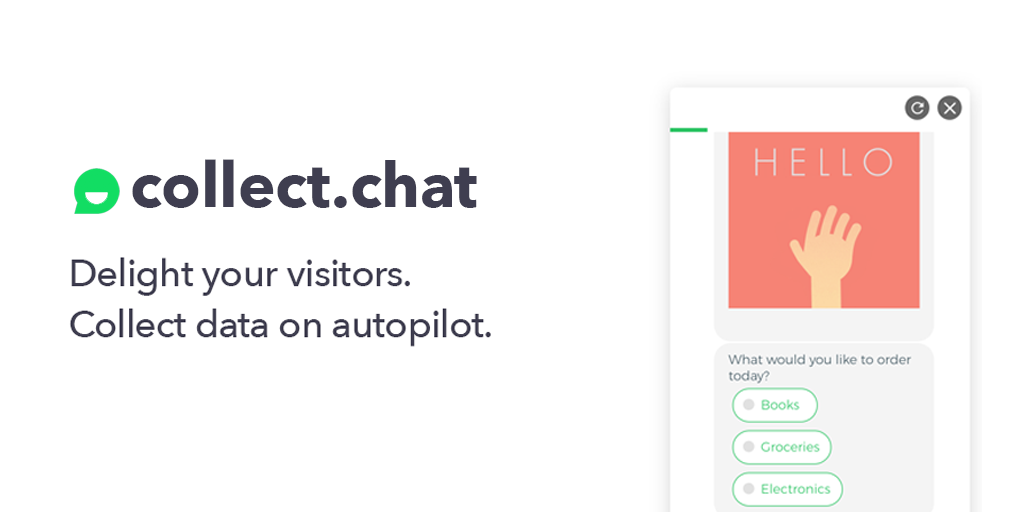
Every static contact form quietly taxes your traffic: visitors meet a wall of fields, decide it looks like homework, and leave. Collect.chat replaces those forms with short, friendly chat conversations that collect leads, bookings and payments in one flow, and the company reports that its customers convert up to 3x more visitors after switching. Our in-depth review covers the real pricing, the real limits and the competitors, using only facts published by the vendor.
50,000+
Businesses using it
50M+
Responses collected
3x
Conversion reported
2017
Building forms since
📋 Quick Verdict
Collect.chat is a no-code platform that turns ordinary forms into conversational, chat-style flows you can deploy as a website widget, a standalone link or an inline embed. It sits in a useful middle ground: lighter and cheaper than a full chatbot suite, but far more capable than a static form plugin because it branches questions, books appointments, verifies phone numbers and takes payment without sending the visitor to another page. The company has been building this since 2017 and now claims more than 50,000 businesses and 50 million collected responses.
Our review found the pricing unusually honest for this category. There is a genuinely usable free tier with 100 responses per month and no credit card required, and paid plans start at $14 per month billed yearly with three months free. The two limits that matter are structural rather than sneaky: monthly response caps pause new submissions once you hit them, and workspace counts stay at one on both the Free and Lite plans. Support is email only on every published tier, so this is not the tool to buy if you expect a live channel with your vendor. In short, it is a strong value pick for conversation-first lead capture on one or a few sites, and a weaker fit for high-volume operations that need unlimited cheap responses or enterprise controls.
What works well
- Free plan that is actually usable: 100 responses a month, 3 forms, no card
- Paid entry point of $14 per month makes testing realistic for solo sites
- AI form builder turns a plain-English goal into a working form
- Payments, appointment booking and phone OTP validation built in, not bolted on
- Three deployment modes: corner widget, shareable link, inline embed
- 30-day refund policy on every paid plan, stated publicly
- Integrations with HubSpot, Salesforce, Slack, Sheets, Calendly and Zapier
Where it falls short
- Free tier stops at 100 responses and 3 forms, so real traffic needs paid
- Submissions pause when you hit the monthly cap instead of overflowing
- Only one workspace on Free and Lite, awkward for consultants juggling clients
- Email-only support; no live chat or phone channel listed
- Dashboards are basic compared with dedicated analytics suites
- It is a guided conversational form, not an autonomous AI agent that handles open questions
Start Free With Collect.chat →
🤔 What Is Collect.chat?
Collect.chat is an interactive form and chat widget platform. Instead of presenting a visitor with eight fields at once, it asks one question at a time in a conversational bubble, branching based on the previous answer. That change in presentation is the whole product thesis: people who abandon a form will happily answer a friendly chat, and the platform runs that conversation around the clock, in any language, as a widget on your site, a standalone page with its own link, or an embed inside a landing page or blog post.
Under the hood it is a no-code building tool. You can start from a template, build questions by drag and drop, or describe your goal in plain English and let the AI builder generate the full form, then customise it. Once published, responses land in the dashboard, arrive by email and can be pushed to the tools you already run through native integrations and Zapier webhooks. Published uses include lead generation, appointment booking, recruitment funnels, feedback and surveys, onboarding, and taking deposits or full payments up front.
⚙️ Key Features
AI form builder from a plain-English prompt
You describe the outcome you want, such as qualifying inbound leads for a roofing company, and Collect.chat generates a complete question flow. The builder then switches to drag and drop, so questions can be reworded, reordered, restyled or given new logic without touching code. For small teams the AI step removes the blank-page problem and gets a working form live in minutes rather than an afternoon. It is a form generator rather than a general-purpose assistant, so expect to rewrite some wording before publishing.
Logical jump and conditional branching
The logical jump feature routes visitors down different paths depending on previous answers. A prospect who needs a website redesign in the next month can be asked for a budget range, while someone browsing casually skips to the newsletter opt-in. This keeps the flow short for low-intent traffic and deep for buyers, and it is one of the fairest reasons to pay, since branching logic is missing from most free form builders.
Payments taken inside the conversation
Collect.chat supports accepting payments directly in the form through Stripe, Razorpay or PayPal, so deposits, bookings and small orders are completed without redirecting the visitor to a checkout page. For service businesses that live on deposits, that removes an entire drop-off step. Payment processing itself sits with your chosen provider, so fees, dispute handling and payout timing come from them rather than from Collect.chat.
Appointment booking and phone OTP validation
Built-in date and time pickers let visitors schedule a meeting inside the flow, which is why coaches, clinics and consultants treat conversational forms as a lighter alternative to bolting a booking tool onto a contact form. Phone OTP validation confirms a phone number with an SMS code before the lead is submitted, a genuine differentiator for sales teams burned by tyre-kicker submissions that would otherwise mean paying for a separate verification service.
Three ways to deploy, plus your own domain
The same form can run as a chat widget in the corner of your site, as a full-page link for emails and social posts, or as an inline embed inside a page. Higher plans add a custom domain so standalone form pages live on your own brand instead of a shared subdomain. Installation is a copy-paste snippet, the widget loads asynchronously, and the vendor states it does not block page rendering or hurt Core Web Vitals.
Integrations, notifications and multilingual flows
Collected data routes to HubSpot, Salesforce, Mailchimp, Slack, Google Sheets and Calendly through native integrations, and to anything else through Zapier webhooks, so there is no manual export step between the conversation and your CRM. Email notifications fire the moment a visitor completes a form, the dashboard tracks conversations with built-in analytics, and forms run in any language so one widget can serve several markets.
💰 Pricing & Plans
Collect.chat publishes four tiers and bills yearly with three months free, which is how the headline monthly figures are reached. Everything below comes from the vendor pricing page at the time of writing; confirm current numbers there before you commit, since annual discounts and feature placement can change.
| Plan | Price billed yearly | Responses / month | Forms | Workspaces |
|---|---|---|---|---|
| Free | $0 forever | 100 | 3 | 1 |
| Lite | $14 / month | 1,000 | 10 | 1 |
| Standard (recommended) | $29 / month | Unlimited | 25 | 3 |
| Unlimited | $149 / month | Unlimited | Unlimited | Unlimited |
The recommended Standard plan is the interesting one. Moving up from Lite costs roughly $15 more per month and buys unlimited responses, 25 forms instead of 10, three workspaces instead of one and the advanced rows in the feature table, including payments, custom domain and team seats. The jump to Unlimited is a different purchase entirely: it exists for agencies and larger operations that need no ceiling at all. Every paid plan includes a 30-day refund, upgrades are prorated so you only pay the difference, and a downgrade keeps your data and widgets intact until you upgrade again. Responses are counted only when a visitor completes and submits a form, so abandoned conversations do not eat into the monthly allowance.
⚔️ Collect.chat vs. Competitors
| Platform | Core model | Payments in form | Free tier | Best fit |
|---|---|---|---|---|
| Collect.chat | Chat-style forms, widget or embed | Yes, on paid plans | 100 responses, 3 forms | Small sites that need leads, bookings and deposits |
| Typeform | Design-led one-question-at-a-time forms | Yes, higher tiers | Very limited responses | Brand-led marketing forms and surveys |
| Jotform | Traditional form builder with templates | Yes | Capped monthly submissions | Complex, document-heavy workflows |
| Google Forms | Free static forms, basic logic | No | Free | Internal surveys and free collection |
| Tally | Free-form builder with conversational touches | Limited | Generous free plan | Bootstrapped teams watching every dollar |
The comparison is less about who has the most features and more about what you are paying for. Typeform wins on visual polish and brand recognition, Jotform on breadth of form types and document workflows, and Google Forms on being free and universally understood. Collect.chat competes on the combination: conversational flows, booking, phone verification and payments in a single no-code widget, with a $14 entry price and a usable free plan. Fee and limit details for competing platforms change often, so check each vendor directly before deciding.
🎯 Who Should Use Collect.chat?
- Small business websites where a static contact form converts poorly and the budget will not stretch to a chatbot platform, and coaches, clinics and consultants who need intake questions, booking and a deposit in one flow.
- Agencies and freelancers building lead capture for clients on WordPress, Shopify, Wix or Squarespace without involving a developer.
- Recruiters and HR teams running application funnels; a published customer case on the site describes recruitment bots handling around 90% of job applications.
- Course creators and event teams qualifying registrations with branching questions before payment, and teams running multilingual sites that need one widget working across several languages.
🚫 Who Should Skip It
- High-volume form operations collecting thousands of responses a month, where per-response caps and unlimited-plan pricing hurt.
- Anyone who needs a real AI agent. The AI builds forms; it does not hold an open-ended conversation or answer unscripted product questions.
- Teams that require live support. Support is email only, with no phone or live chat channel advertised.
- Enterprise buyers who need to clear security reviews, single sign-on and granular admin roles. Those controls are not advertised on the pricing page, so validate them directly before committing.
- Multi-brand agencies on a tight budget. One workspace on Free and Lite means you will pay for Standard quickly, and analytics-heavy teams will outgrow the built-in dashboard.
❓ Frequently Asked Questions
How much does Collect.chat cost?
The published tiers are Free at $0 with 100 responses and 3 forms, Lite at $14 per month and Standard at $29 per month when billed yearly, plus an Unlimited plan at $149 per month. Yearly billing includes three months free, and every paid plan carries a 30-day refund policy.
Is there a free plan and do I need a card?
Yes. The free tier allows 100 responses per month across 3 forms and 1 workspace, and the vendor states that no credit card is required to start. It is enough to test the conversational format on a live page before paying anything.
What counts as a response?
A response is counted each time a visitor completes and submits a form. Partial submissions from visitors who leave halfway through are not counted against your monthly limit, so abandoned flows do not burn the allowance.
Can Collect.chat take payments and bookings?
Yes. Paid plans accept payments through Stripe, Razorpay or PayPal inside the conversation, and the platform includes date and time pickers for appointment booking. Card processing terms and fees come from your payment provider, not from Collect.chat.
Do I need coding skills to install it?
No. Forms are built by drag and drop or generated with the AI builder, then deployed with a copy-paste snippet as a corner widget, an inline embed or a standalone link. It works on WordPress, Shopify, Wix, Squarespace and custom-built sites.
What happens if I exceed my monthly response limit?
New submissions are paused until the next billing cycle. The vendor notifies you before you reach the cap so you can upgrade, and if you downgrade later your existing widgets and data stay safe until usage fits the lower tier.
🏁 Final Verdict
Collect.chat earns its place on a shortlist for one reason: it removes friction at the exact moment where small sites lose money. A visitor who will not fill in eight fields will answer a friendly question, and the platform then goes further than most form builders by booking the meeting, verifying the phone number and taking the deposit in the same flow. Add a genuinely usable free tier, a $14 entry price and a documented 30-day refund, and the risk of trying it is low. The trade-offs are just as clear: response caps below the Standard plan, a single workspace on Free and Lite, email-only support and no autonomous AI agent behind the conversation.
Ready to test conversational forms on your site?
The free plan includes 100 responses a month and 3 forms with no credit card required, so you can compare it against your current static form before spending anything.
Get Started With Collect.chat →
We may earn a commission if you buy through our links, at no extra cost to you.
Read next



Travel Hacks Guide Editorial Standards & Testing Methodology
At Travel Hacks Guide, we independently evaluate car rentals, international eSIMs, flight booking engines, and travel insurance. We never accept payment for ranking or recommendations. When you book via links on our site, we may earn an affiliate commission at no extra cost to you.