
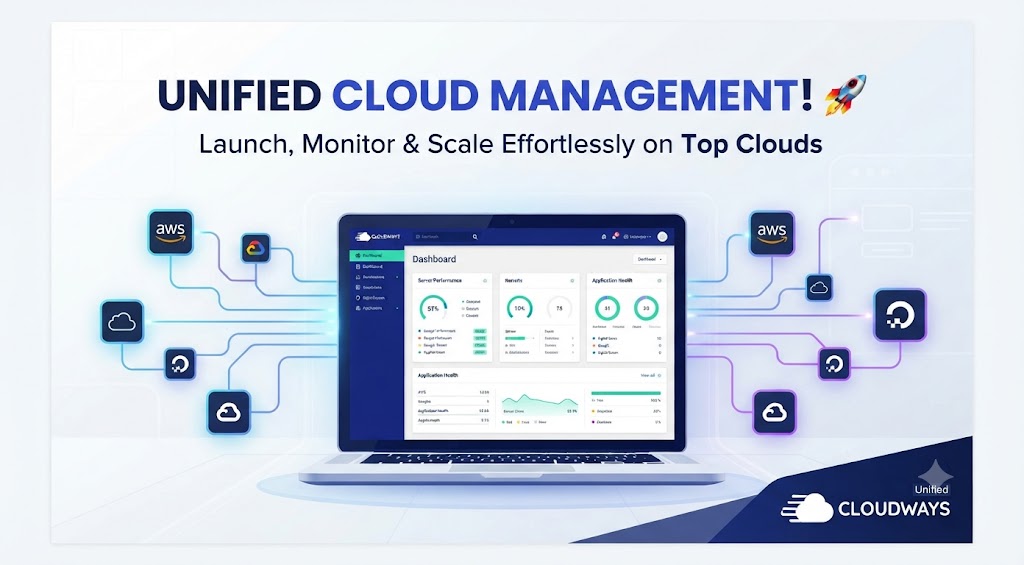
We have watched too many site owners get burned by “unlimited” shared hosting that buckles the moment real traffic arrives. Cloudways promises an antidote: raw cloud infrastructure from five major providers, wrapped in a dashboard that spares you from becoming a Linux administrator. After thoroughly analyzing its setup, migrations, pricing, and support, here is exactly what we found — the impressive parts and the real trade-offs.
📋 Quick Verdict
Cloudways is a managed cloud hosting platform, which means it does not own servers the way a traditional host does. Instead, it deploys your site on top of infrastructure from DigitalOcean, Vultr, Linode, AWS, or Google Cloud and handles the layer most people dread: server setup, security patches, firewall configuration, and operating-system updates. You get the performance of a dedicated cloud server without the sysadmin workload.
In our testing, the real draw was control plus convenience. You can launch a WordPress, WooCommerce, Laravel, Magento, or plain PHP app in minutes, clone it to a staging environment for safe changes, and roll back with automated backups. The custom dashboard replaces cPanel and is faster once you learn it, but it is a real learning curve if you have only ever used shared hosting.
Is it perfect? No. Cloudways does not sell domains, does not host email, and offers no phone support. Those gaps force you to stitch together external tools, and pay-as-you-go pricing quietly creeps upward as your traffic grows. Still, for agencies, developers, and growing stores, it is one of the strongest managed cloud options we have tested.
✅ What We Like
- Choice of five cloud providers: DigitalOcean, Vultr, Linode, AWS, and Google Cloud
- 3-day free trial with no credit card required
- Free SSL certificates, unlimited free migrations, and automated backups included
- Pay-as-you-go pricing with hourly billing and no long-term contracts
- Built-in Cloudflare Enterprise integration plus the Breeze cache plugin
- One-click staging environments and Git integration for developers
- 24/7 chat and ticket support with a responsive team
❌ What We Don’t Like
- No email hosting — you need a separate provider like Google Workspace or Zoho
- No domain registration — buy your domain elsewhere and configure DNS yourself
- No phone support, ever — help is chat and ticket only
- Steeper learning curve than cPanel shared hosting for non-developers
- Pay-as-you-go costs climb quickly as you scale to bigger servers
- Advanced Support, which adds proactive monitoring, costs an extra $25/month
- No cPanel — the custom dashboard takes time to get comfortable with
🤔 What Is Cloudways?
Cloudways sits in the space between raw cloud providers and fully managed WordPress hosts. When you buy a DigitalOcean droplet directly, you install the stack, secure the server, and patch it forever. Cloudways removes that burden: it provisions, hardens, and installs a managed stack with Nginx, Apache, MySQL/MariaDB, PHP-FPM, Varnish, and Redis, and keeps it updated. You still choose the provider and server size, but you never touch a command line unless you want to.
A useful way to understand the product is the signup flow. You do not create “hosting plans” the way you would on a shared host; you create servers and applications. A single server can run multiple applications — say, three WordPress sites for three different clients — each isolated with its own resources and credentials. That model is exactly why Cloudways is so popular with agencies that bill clients separately.
Getting started in five steps
- Pick a cloud provider — DigitalOcean, Vultr, Linode, AWS, or Google Cloud.
- Choose your server size, RAM, and data-center region.
- Select an application to install — WordPress, WooCommerce, Laravel, Magento, or a plain PHP stack.
- Launch the server — Cloudways configures, secures, and optimizes it automatically.
- Point your domain at the server and push your site live.
⚙️ Key Features
Managed Server Administration & Security Patches
This is the biggest reason to pay Cloudways instead of renting a bare VPS. Its team applies OS and security patches, manages the firewall, and monitors your server around the clock, rolling out fixes for critical PHP or web-server vulnerabilities so you are not left scrambling. You still own the application layer — themes, plugins, and code — but the infrastructure underneath is handled.
Choice of Five Cloud Providers
Few managed hosts let you choose your infrastructure vendor. Cloudways supports DigitalOcean, Vultr, Linode, AWS, and Google Cloud, so you can optimize for price, latency, or a specific compliance region. DigitalOcean is the budget default; AWS and Google Cloud matter if you need enterprise features. Switching is not a one-click toggle, but the flexibility is real.
Cloudflare Enterprise & the Breeze Cache Plugin
Cloudways bundles Cloudflare Enterprise integration — advanced CDN caching, Argo smart routing, and a web-application firewall — through the dashboard rather than a separate account. Its own Breeze cache plugin for WordPress adds page- and database-level caching in a few clicks. In our tests, enabling both took under ten minutes and produced a measurable time-to-first-byte lift on image-heavy WooCommerce stores.
Staging Environments & Git Integration
Every application can be cloned to a staging site with one click, so you can test a new plugin, a theme update, or a checkout flow without risking the live store. Developers get Git integration for deploying from a repository, plus SSH and SFTP access for those who want it. The staging-to-production push workflow is not as polished as some premium hosts, but it is dependable and has saved us from more than one botched update.
Automated Backups & Server Monitoring
Cloudways takes automated backups on a schedule you control and lets you restore a full server or a single application in a few clicks. A built-in dashboard tracks CPU, memory, and disk usage with configurable alerts, flagging a traffic spike or runaway process before it takes the site down. For $25/month, Advanced Support adds proactive monitoring and priority help from senior engineers.
Cloudways Autonomous (Autoscaling WordPress)
Cloudways Autonomous is a separate product for high-traffic WordPress sites that autoscales resources up and down on a containerized architecture. It is priced differently and overkill for most small sites, but worth knowing if your WooCommerce store spikes during sales or Black Friday.
💰 Pricing
| Provider & Server | RAM | Storage | Starting Price |
|---|---|---|---|
| DigitalOcean (Standard) | 1 GB | 25 GB SSD | $11/mo |
| DigitalOcean (Standard) | 2 GB | 50 GB SSD | $24/mo |
| Vultr (High Frequency) | 1 GB | 32 GB NVMe | $14/mo |
| Linode | 1 GB | 25 GB SSD | $14/mo |
| AWS (t3.small) | 2 GB | 20 GB SSD | ~$37/mo |
| Google Cloud (e2-small) | 2 GB | 20 GB SSD | ~$33/mo |
Every Cloudways plan is pay-as-you-go with hourly billing, so you can spin a server up, test it, and delete it without a long-term contract. Prices above are starting points in USD and vary by provider, data-center region, and add-ons. The Advanced Support add-on costs $25/month (discounted from $100/month), and Cloudflare Enterprise is included on most plans. Remember that your bill climbs as you scale server size, and the cheapest $11 plan only comfortably fits a single modest site.
⚔️ Cloudways vs. Competitors
| Feature | Cloudways | Shared Hosting | Unmanaged VPS | Premium Managed WP |
|---|---|---|---|---|
| Starting price | $11/mo | ~$3–$8/mo | ~$5–$12/mo | ~$30+/mo |
| Cloud provider choice | 5 providers | None (shared) | Single provider | Google Cloud only |
| Server management | Fully managed | Managed | You do everything | Fully managed |
| Email hosting | Not included | Often included | Not included | Not included |
| Phone support | No (chat/ticket) | Sometimes | No | Some plans |
| Best for | Agencies, devs, scaling sites | Beginners, hobby sites | Developers, sysadmins | High-budget WP sites |
Cloudways beats shared hosting on speed and scalability and beats a raw VPS on convenience, but it costs more than the cheapest shared plans and offers less hand-holding than premium hosts like Kinsta or WP Engine. For most growing WordPress or WooCommerce sites, it is the best balance of price, control, and performance we have found.
🎯 Who Should Use Cloudways?
✅ WordPress Agencies & Freelancers Managing Multiple Clients
The multi-application server model lets you host several client sites without buying a separate plan for each. Staging, cloning, and team collaboration map directly to agency workflows, and you can hand clients read-only dashboard access without exposing your other accounts.
✅ Developers Who Want Managed Infrastructure Without Losing Control
If you are comfortable with SSH and Git but tired of patching servers at 2 a.m., Cloudways is the compromise: you keep root access and Git deploys while the platform handles security updates and OS maintenance for you.
✅ Growing Stores & Content Sites Outgrowing Shared Hosting
WooCommerce stores and content sites hitting shared-hosting CPU and memory limits are Cloudways’ sweet spot. Even a $24 DigitalOcean server is a night-and-day improvement over a saturated shared box, and Cloudflare Enterprise plus Breeze caching help you survive traffic spikes.
✅ Teams That Want Staging, Backups & Monitoring Without a Sysadmin
Automated backups, one-click staging, and server monitoring give small teams enterprise-grade safeguards without a DevOps hire, and the $25 Advanced Support add-on adds proactive monitoring from senior engineers.
🚫 Who Should Skip Cloudways?
❌ Beginners Who Want One Simple Product for Everything
If your goal is a personal blog with email and a domain in one place, Cloudways will frustrate you: no cPanel, no bundled email, and no domain registration, so you configure DNS and sign up for separate email on day one. A shared host or beginner-focused managed host fits better.
❌ Anyone Who Needs Email Hosting Included
Cloudways does not offer email hosting, full stop. You will need Google Workspace, Zoho Mail, or another third-party provider, paid separately. If a bundled inbox is non-negotiable, look elsewhere.
❌ Budget-Locked Buyers Who Want a Flat Monthly Price
Pay-as-you-go is flexible but not predictable. As you scale server size, add the Advanced Support add-on, or provision a second server, the bill grows with no ceiling. If you need a fixed, all-inclusive price you can plan around, Cloudways’ variable model may not suit your budget.
❓ FAQ
Yes. Cloudways gives you a 3-day free trial with no credit card required — enough to launch a server and explore the dashboard, though too short to judge real traffic performance.
No. Cloudways does not host email on any plan. You will need a separate provider such as Google Workspace or Zoho Mail, and you will point your domain’s MX records at that provider yourself.
You can deploy on five providers: DigitalOcean, Vultr, Linode, AWS, and Google Cloud. Each has its own pricing and data-center regions, and you pick the provider when you create each server.
Yes. Cloudways has optimized WordPress and WooCommerce stacks, a one-click installer, its own Breeze cache plugin, and Cloudflare Enterprise integration. Staging environments and automated backups make it a strong fit for stores that need to test changes safely.
No. Support is 24/7 via live chat and ticket only. For proactive monitoring and priority help from senior engineers, you need the Advanced Support add-on at $25/month.
Plans start at about $11/month on a DigitalOcean 1GB server and scale up with server size and provider, using hourly pay-as-you-go billing. Your total cost rises as you add server resources, and optional add-ons like Advanced Support ($25/month) are extra.
🏁 Final Verdict
Cloudways earned our recommendation because it solves a problem most hosting reviews gloss over: the gap between cheap shared hosting that dies under load and raw cloud servers that demand a full-time administrator. It sits cleanly in the middle, giving you the speed and scalability of AWS or DigitalOcean without the operational burden of managing them yourself.
We cannot ignore its blind spots. The lack of email hosting and domain registration means you are assembling a hosting stack from separate vendors, and the absence of phone support will frustrate anyone who prefers to talk to a human. The custom dashboard, while efficient, has a genuine learning curve, and pay-as-you-go pricing rewards vigilance — it is easy to let costs drift upward as you add servers and add-ons.
Our verdict: if you are an agency, a developer, or a growing WordPress or WooCommerce site that has outgrown shared hosting, Cloudways is one of the best managed cloud platforms available, and the 3-day free trial plus unlimited free migrations make it risk-free to try. If you are a beginner who just wants a simple site with bundled email, it is the wrong tool. Everyone else should start the trial and feel the difference real cloud infrastructure makes.
Ready to move off slow shared hosting?
Launch a Cloudways server on five cloud providers — free for 3 days.
Read next



Travel Hacks Guide Editorial Standards & Testing Methodology
At Travel Hacks Guide, we independently evaluate car rentals, international eSIMs, flight booking engines, and travel insurance. We never accept payment for ranking or recommendations. When you book via links on our site, we may earn an affiliate commission at no extra cost to you.